





A cross-platform TUI system monitor written in Rust. Uses ratatui for the terminal interface and sysinfo for real-time system metrics.
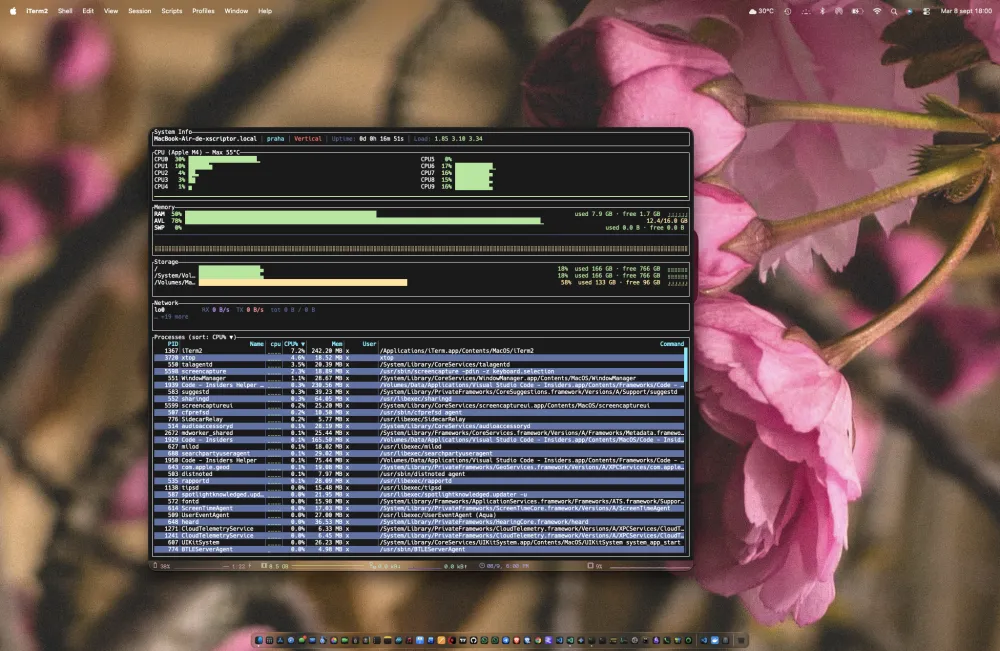
- CPU usage per core with temperature sensing
- RAM and Swap monitoring with historical chart
- Network RX/TX tracking per interface
- Storage and Disk I/O visualization
- Process list with live search, CPU/Memory/PID/Name sorting and ▲/▼ direction toggling
- Battery monitoring (real probes on Linux, macOS and Windows)
- GPU monitoring (NVIDIA via
nvidia-smion any platform; AMD/Intel via Linux sysfs probes) - 12 color themes, with the base theme embedded and the rest installable from the official catalog
- Layout modes and Detail presets, with Dashboard embedded and the rest installable from the official catalog
- Full-screen mode for any widget
- Configurable alert thresholds
- Persistent configuration
- Runtime widgets: sandboxed WASM modules or helper processes (Lua, Python, ...) via the opt-in
plugin-wasm/plugin-externalfeatures - Self-update through the detected installation medium:
xtop update - Headless CLI monitoring:
status(full or per-section),processes,watch,infoanddoctorwith JSON output - Theme and layout management from the CLI (
xtop theme,xtop layout,--change-theme,--gen-config), followed live by running instances
See docs/features.md for a detailed feature breakdown.
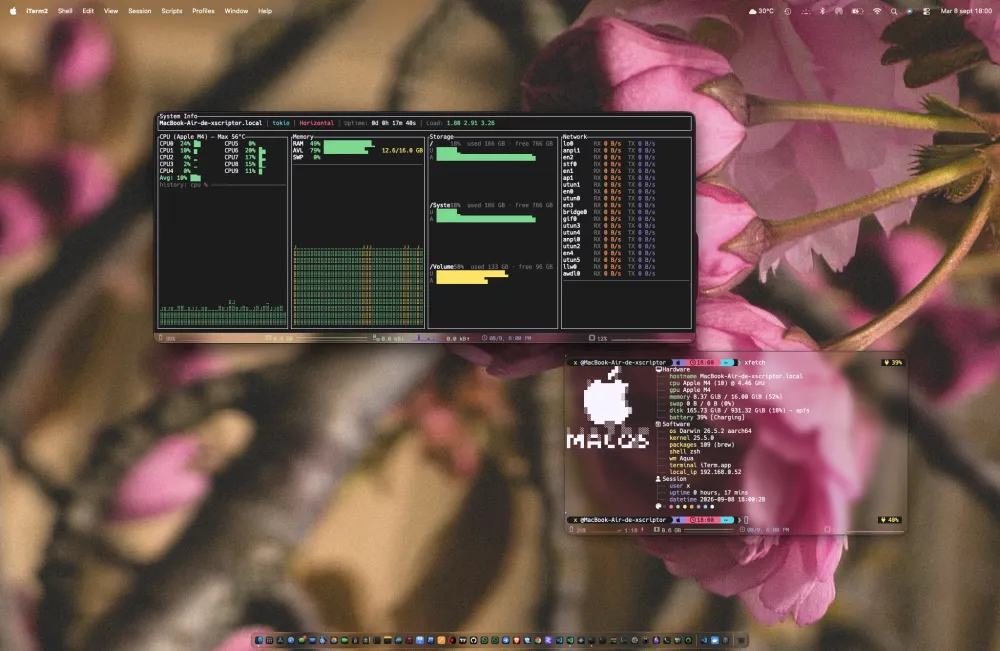
More...
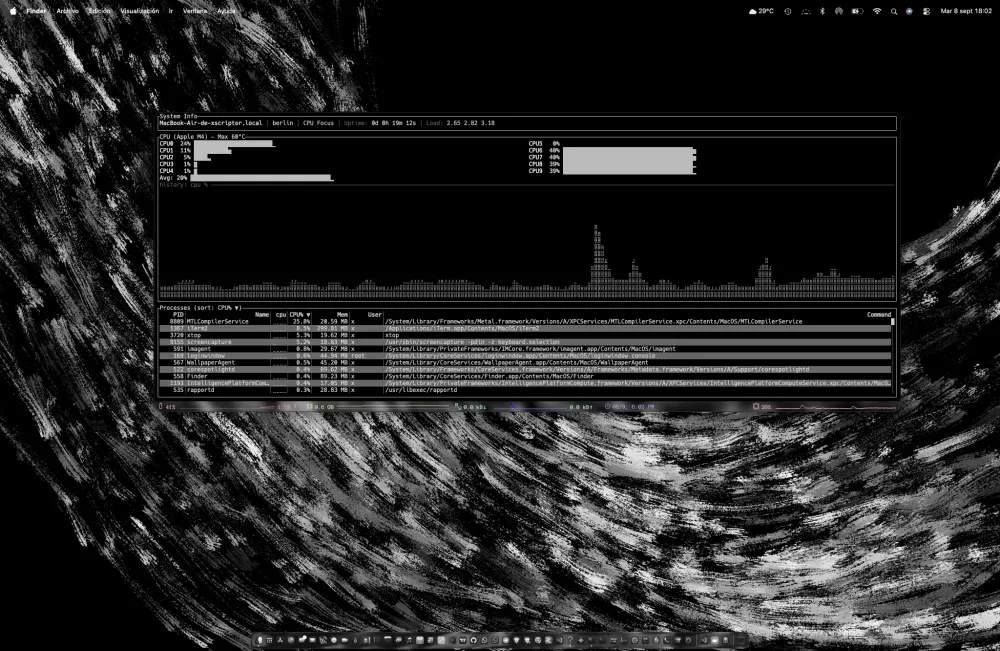
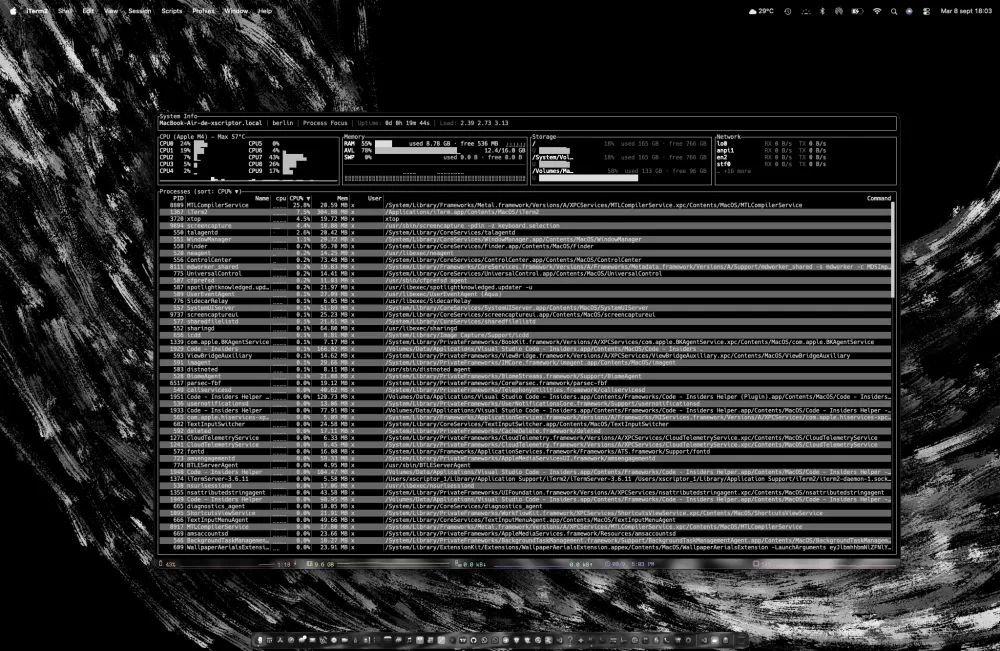
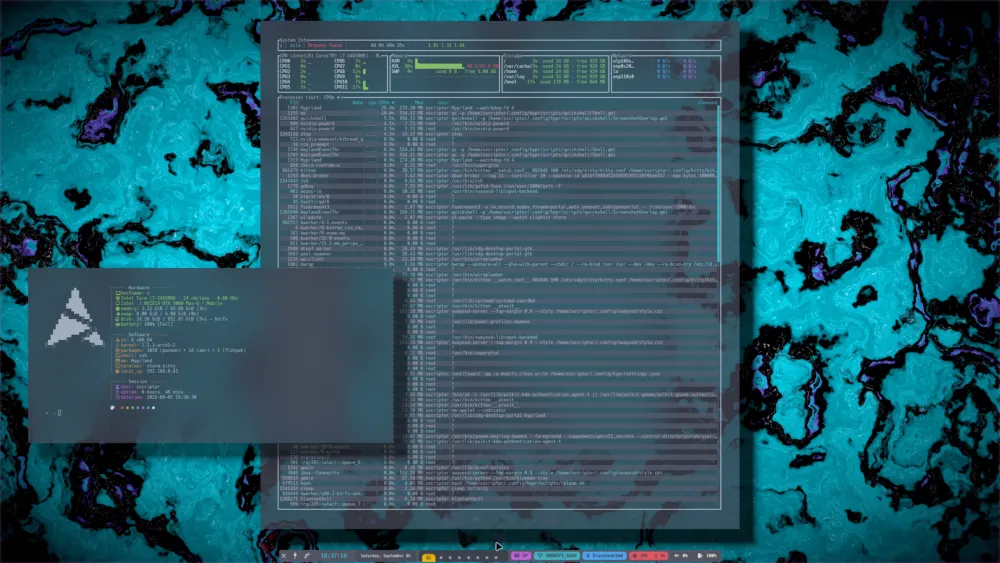
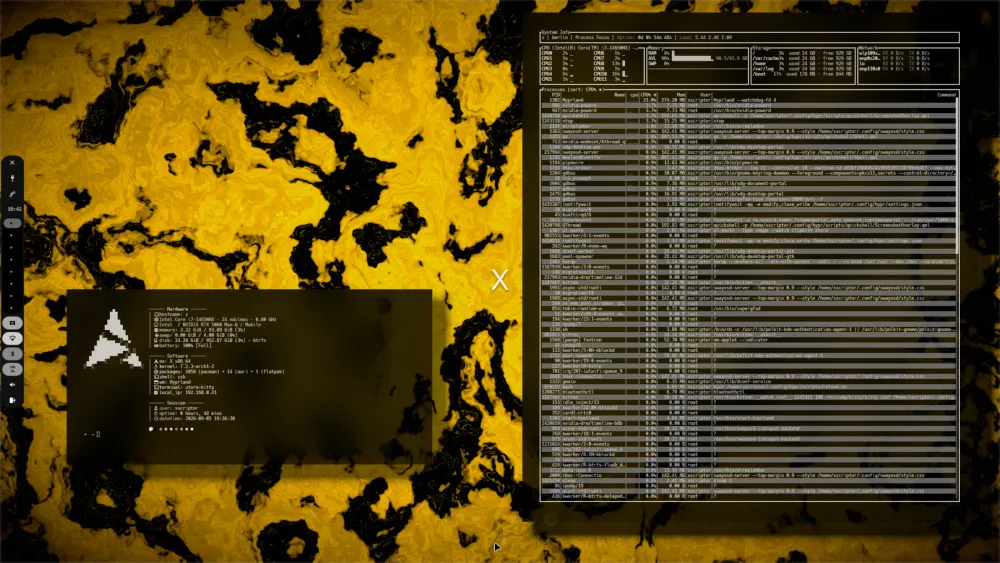
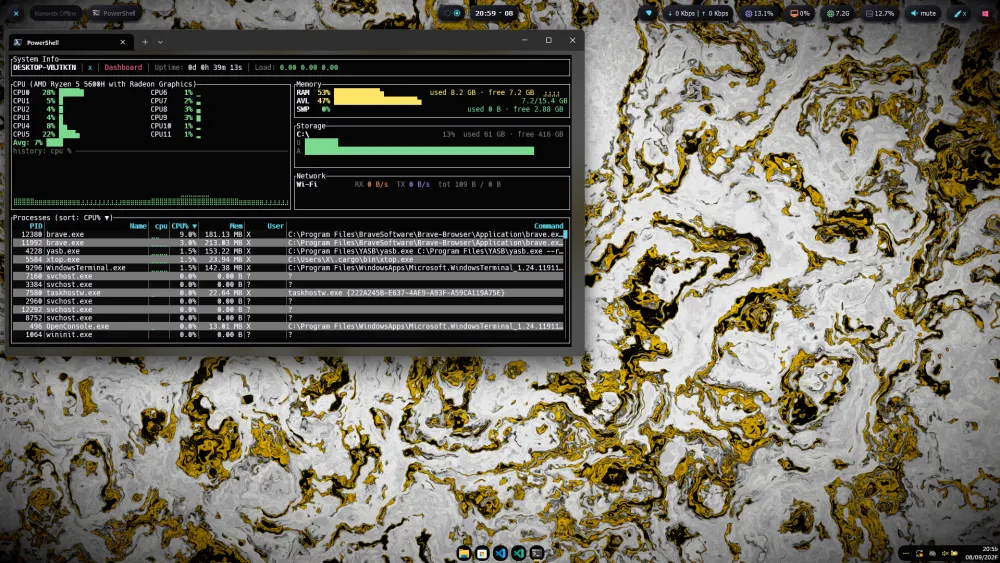
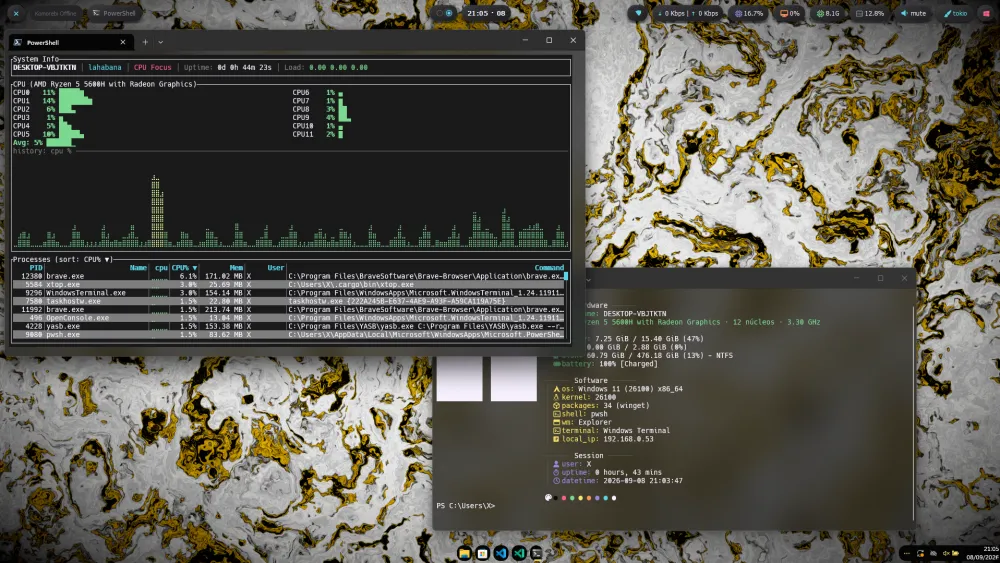
Prebuilt binaries are published for Linux (x86_64 glibc/musl and aarch64 glibc), macOS (x86_64 and aarch64) and Windows (x86_64). No Rust toolchain is required.
curl -fsSL https://raw.githubusercontent.com/xtop-cli/xtop/main/install-prebuilt.sh | bashirm https://raw.githubusercontent.com/xtop-cli/xtop/main/install-prebuilt.ps1 | iexPin a published version with --version 0.1.0 (or -Version 0.1.0 on Windows). The installers verify the release SHA256SUMS and, when cosign is available, the keyless signature. See docs/installation.md for prefixes and verification flags.
curl -fsSL https://raw.githubusercontent.com/xtop-cli/xtop/main/install.sh | bashirm https://raw.githubusercontent.com/xtop-cli/xtop/main/install.ps1 | iexmacOS from source: cargo install --git https://github.com/xtop-cli/xtop --all-features.
git clone https://github.com/xtop-cli/xtop.git
cd xtop
cargo run --release
For detailed installation instructions, see docs/installation.md.
Run xtop after installation. Key controls:
| Key | Action |
|---|---|
| q | Quit (saves config) |
| ? | Toggle help overlay |
| t / T | Next / previous theme |
| l | Next layout mode |
| f / F | Toggle / cycle full-screen |
| / / ctrl+p | Open the command bar |
| ctrl+f | Filter processes |
For full usage details, see docs/usage.md.
- Features -- detailed feature breakdown
- Installation -- full install and uninstall guide
- Usage -- keybindings, modules, help overlay
- Commands -- complete CLI reference and per-command help
- Kernel core -- reusable core architecture and responsibilities
- Configuration -- config file and settings reference
- Customization -- custom themes and layouts
- Colors -- palette reference for the 12 shipped themes
- Plugins -- plugin architecture and authoring
- Multi-repo architecture -- ecosystem RFC and layout
- Roadmap
- Changelog
- Contributing
- License
GPL-3.0-or-later. See LICENSE.